
What we build / Scheduling
Live scheduling
See the week. Fill the gaps.
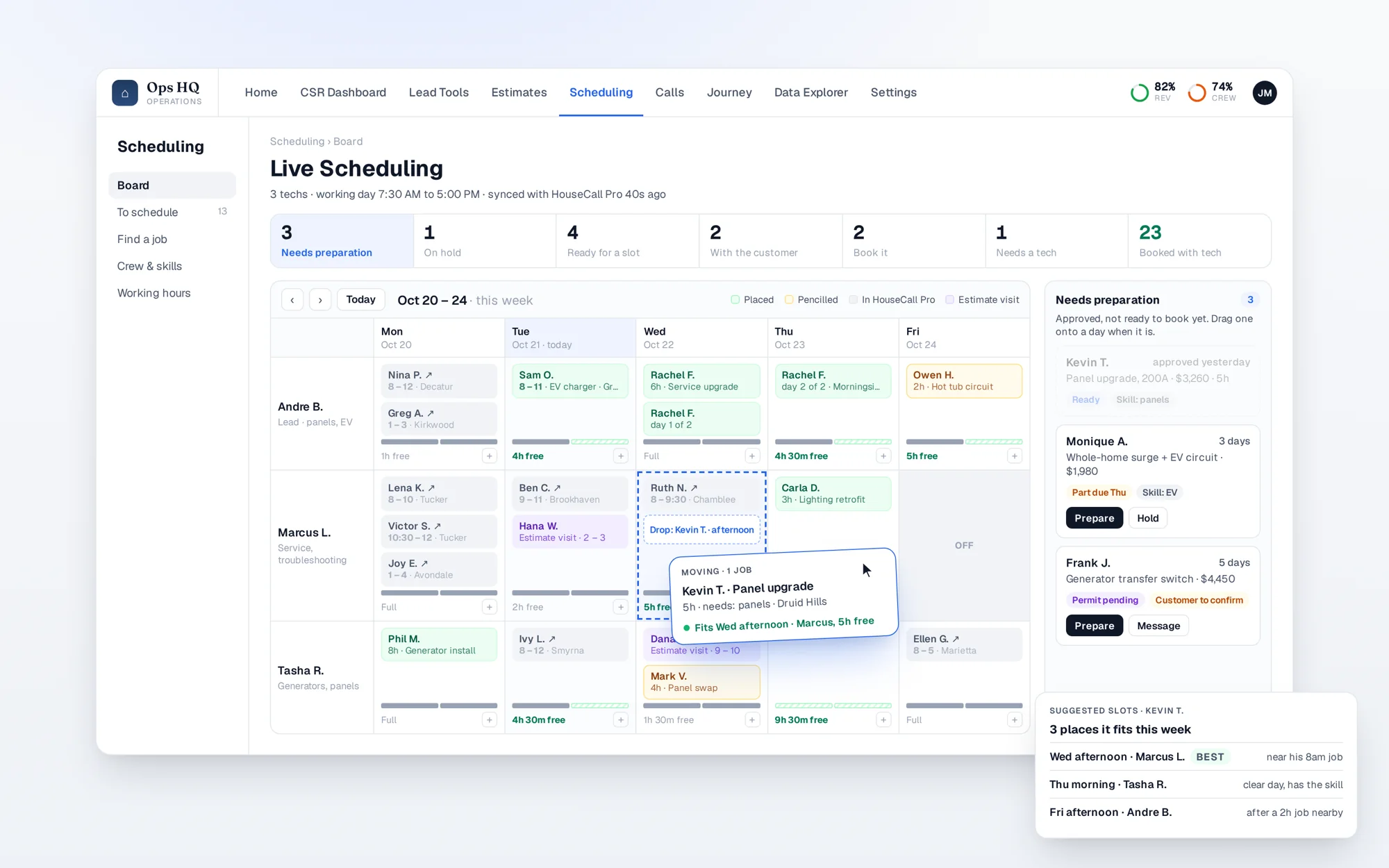
Your techs across the week with the real free time on every day. Approved jobs wait in a lane until they're ready to book, then drag onto a day, with suggestions for where each one fits best.
Works on top of HouseCall Pro or your operations software.
The complaints it answers.
"Approved jobs sit there waiting to be booked."
Every approved job is in a lane with what's blocking it, until it's booked.
"I can't see who has room this week."
Each tech's free hours are on every day, morning and afternoon.
"Booking means flipping between screens."
Drag a job onto a day. The board suggests where it fits best.
How it works
In plain words.
- The board reads your schedule and your approved jobs from your job software and keeps itself current.
- Jobs move through clear stages, from needing preparation to booked with a tech, so nothing stalls unseen.
- Free time is shown per tech and per half-day, with the skills each job needs matched to who has them.
Free time per tech, per day
Jobs waiting, with what's blocking them
Suggested slots for each job
Skills matched to the job
In sync with your job software
Want this in your office?
Twenty minutes. You leave with a short list of where your leads and estimates are leaking, whether we work together or not.